The famous Anti-virus firm Avast has recently published a report stating a Mobile Ransomware being spread in the wild, called Simplocker. Simplocker do not just claims, it actually does encrypt all the data on your external storage of your Android device and will ask for a Ransom amount for the decryption key, failing to which, you have to loose your data forever.
Avast stated that it already mentioned about this mobile Ransomware previous year in June. This is the only mobile ransomware out there in the market which actually does what it says, different from other ransomware that only claims to encrypt the data and scare users into paying. Previously, the decryption keys for all the devices were all same which could be decoded easily as it was hardcoded inside the malware itself and was not unique for infected devices.
But there is a new version of Simplocker in the market which is sophisticated and different from previous version. The decryption key for each device being locked, is different. Thus, this makes it impossible to provide a solution that can unlock each infected device,
"because that would require us to make copies of all the different keys. Avast said.
Till now, it is estimated that over 5,000 devices have been infected.
How the Simplocker Spreads ?
The reason why people install this new variant of Simplocker is because it goes undercover, meaning people dont even realize that what they are installing is ransomware!
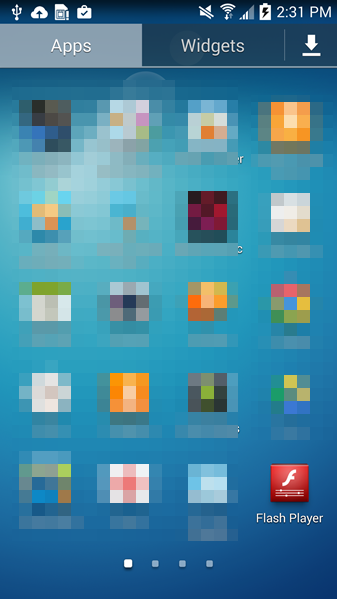
In this case, the new variant of Simplocker uses the alias Flash Player and hides in malicious ads that are hosted on shady sites. These ads mostly alert users that they need Flash Player installed in order to watch videos. When the ad is clicked on, the malicious app gets downloaded, notifying the user to install the alleged Flash Player app. Android, by default, blocks apps from unofficial markets from being installed, which is why users are notified that the install is being blocked for security reasons.
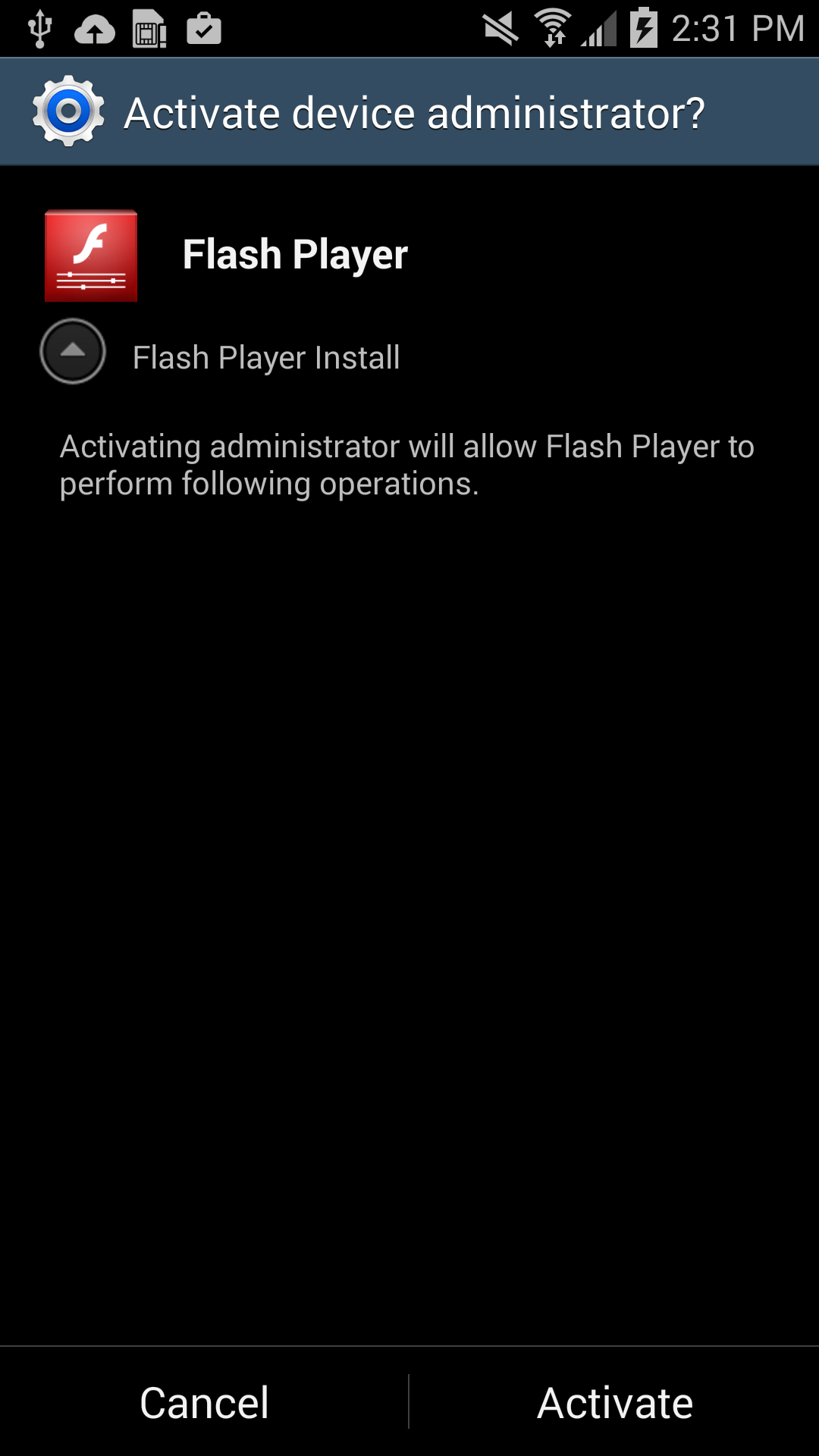
Users should listen to Android's advice. However, users can go into their settings to deactivate the block and download apps from unknown sources. Once installed, a Flash Player app icon appears on the device and when it is opened the Flash Player requests the user grant it administrator rights, which is when the trouble really begins.
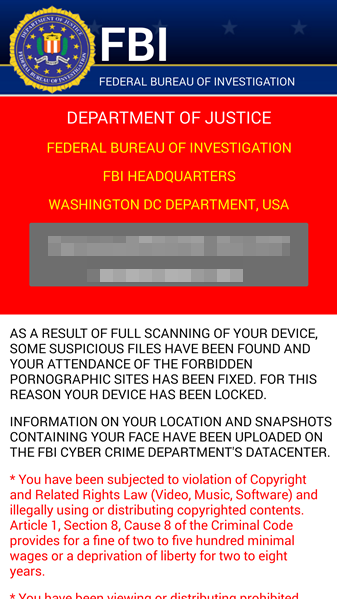
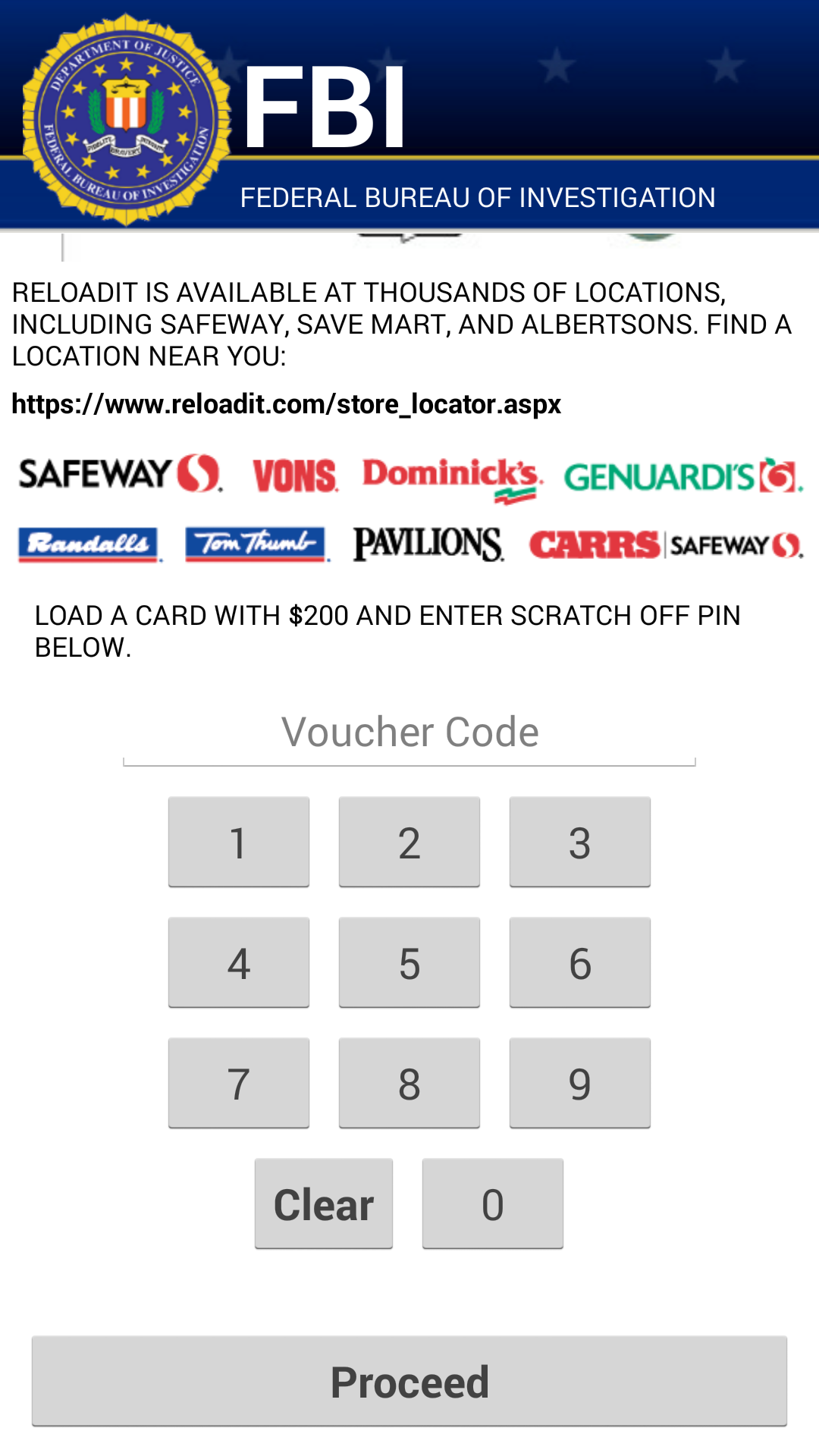
As soon as the app is granted administrator rights, the malware uses social engineering to deceive the user into paying ransom to unlock the device and decrypt the files it encrypted. The app claims to be the FBI, warning the user that they have found suspicious files, violating copyright laws demanding the user pay a $200 fine to decrypt their files.
Technical Details
Avast recognises this malware as Android:Simplocker-AA.
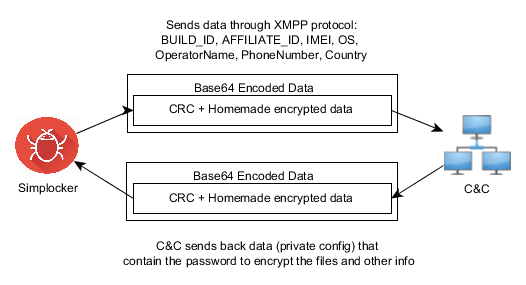
- The malware decrypts the internal configuration in order to get information like C&C (command and control) commands, the extensions to encrypt, and which users should communicate through Jabber to get the private configuration.
- The malware communicates to the server every 60 minutes. Upon the first communication with the server it sends data like: BUILD_ID, AFFILIATE_ID, IMEI, OS, OperatorName, PhoneNumber, and Country to identify the device. Furthermore it checks whether the files have been encrypted or not. Also if a voucher has been entered, it sends back the type and the code. All the data that gets sent back to the server is formatted as: Base64 ( CRC(data) + MalwareEncryption(data) )
- The data that is received by the server (private config) is saved into file .properties in the root external storage folder of the device.
More Technical Details can be found in the official Blog post by Avast
Mitigation
Avast has clearly said not to pay the ransom. This will encourage attackers and cybercriminals to increase their attacks and continue that.
If you get infected with the ransomware,
- back up the encrypted files by connecting your smartphone to your computer
- wait until a solution to decrypt these files has been found
- boot your phone into safe mode, go into the administrator settings and remove the malicious app and uninstall the app from the application manager.