Evolution of famous "Njw0rm" malware, whose source code was leaked online in may 2013, produced Kjw0rm and Sir DoOom RATs.
A researcher at Trend Micro Security firm has disclosed an eye-catching report on Evolution of "Njw0rm" malware whose source code was leaked online in may 2013 and was freely available on hacking sites like Hackforums.net and dev-point.com. Michael Macros, Threat Response Engineer at Trend Micro, published an article on the blog explaining the availability of RATs and hosting of malware on a website dev-point.com, under the "Protection Devices" category. This website is said to disguise itself as a website for "IT enthusiasts" but actually hosts various downloaders, different types of spyware, and RATs.
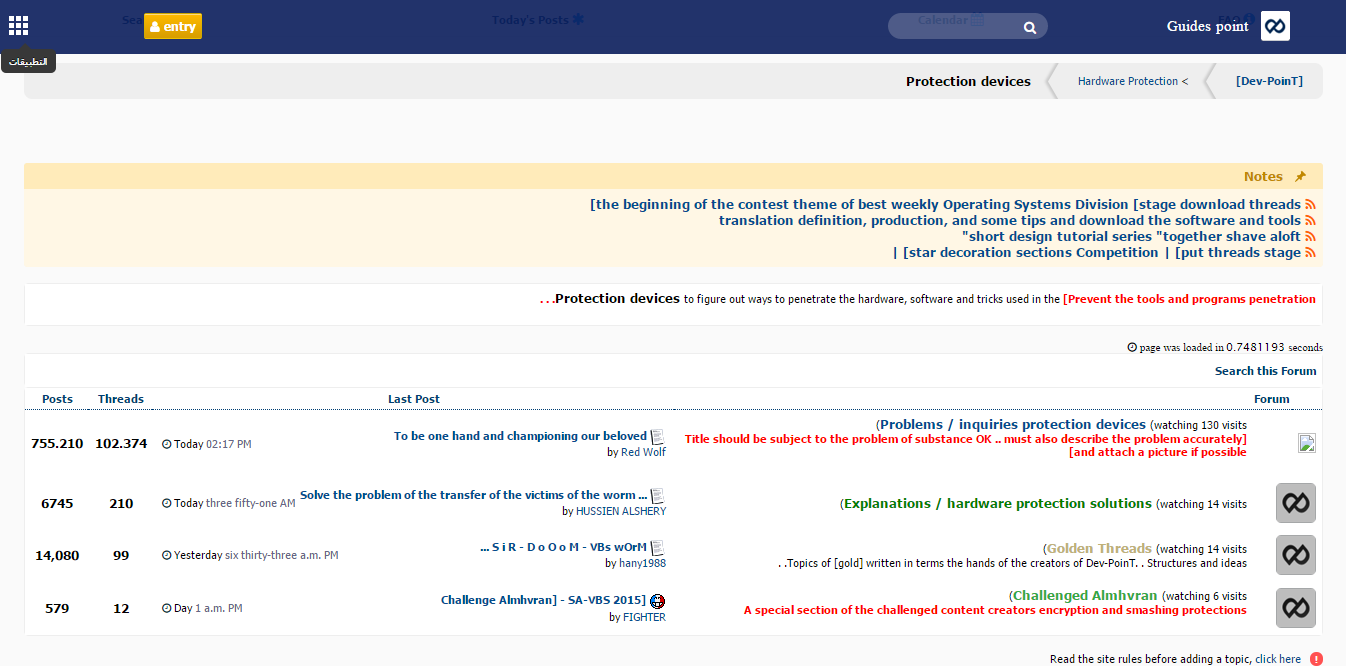
Screenshot of the Protection Devices section under dev-point.com
How Njw0rm developed into malware ?
According to Michael,
"One of the notable topics in the forum talked about new malware kjw0rm(or HKTL_KJWORM) and a worm named Sir DoOom, (or HKTL_DOOMWORM) which both came about after the release of the Njw0rm malware source code in the same forum."
This lead him to conclude that the bad actors found a way to escalate the worm and backdoor capabilities in Njw0rm to create new malware with added functionalities.
Trend Micro has discovered two different versions of Kjw0rm (V2.0 and 0.5X), available freely on dev-point.com in January 2014 and December 2014 respectively. The Sir DoOoM worm was also discovered in the same site last December 2014.
The new malware are written in Visual Basic Script, unlike its earlier version, Njw0rm, which was compiled with Autolt.
Below are some screenshots of the Kjw0rm and Sir DoOom RATs, and their comparison with Njw0rm.
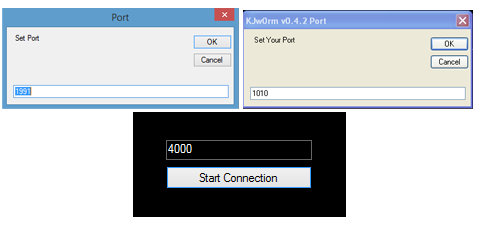
Top: Ports for kjw0rm V2.0 and Kjw0rm 0.5x, respectively, Bottom: port for Sir DoOom w0rm
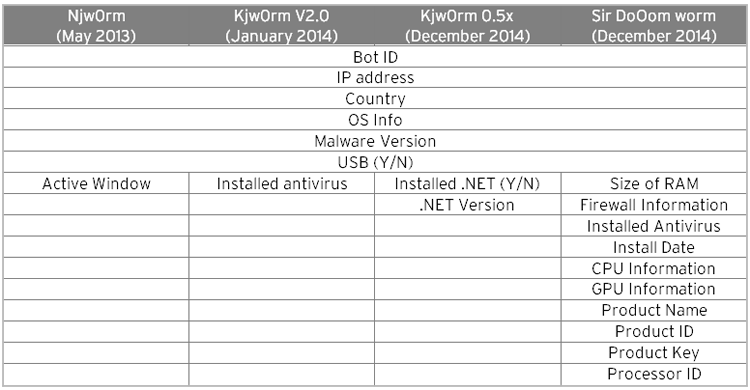
New fields for Kjw0rm and the Sir DoOom worm
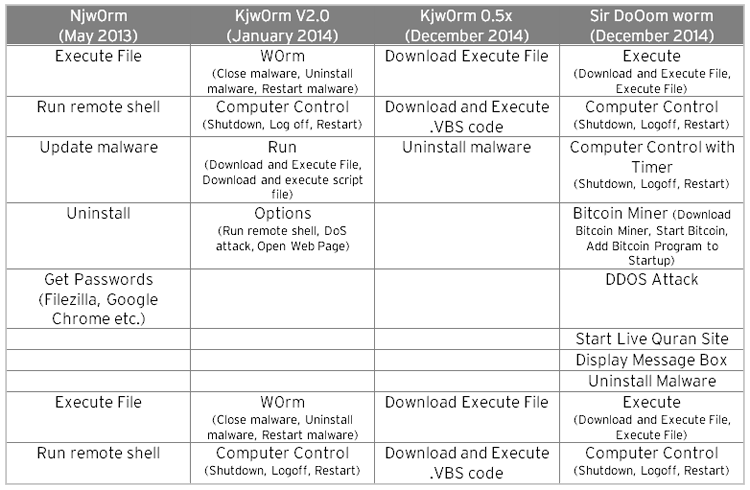
New functions for Kjw0rm and the Sir DoOom worm
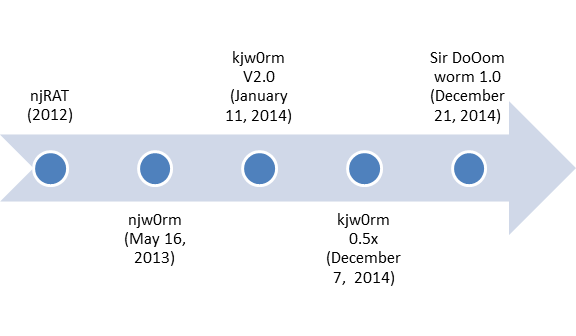 Malware evolution of njRAT
Solutions and best practices
To stay protected against these new threats, we advise users to refrain from plugging removable drives that came from unknown computers or computers that aren't protected by security solutions. Avoid opening and installing programs from unknown web sources.
Paying attention to small details also helps. For example, finding shortcut files in folder icons with your folder names is a strong indicator that the removable drive is infected.
Stay vigilant by keeping abreast of the latest cybercriminals tricks and techniques. Finally, make sure your security software is always updated in order to detect and remove similar threats.